Building a Mesh Network for a Remote Festival (And What We Got Wrong)
We spent weeks designing and building a communication infrastructure for Yatra, a festival held in a remote part of Takaka, New Zealand. My spouse and I built most of it remotely together — she was on the ground in Takaka during the festival itself while I supported from home. Off-grid power, no reliable cell coverage, a crew of around 50 and over a thousand guests. The goal was a self-contained communication layer that worked without internet, built from off-the-shelf hardware and open protocols.
The mesh was never deployed. This is the full writeup.
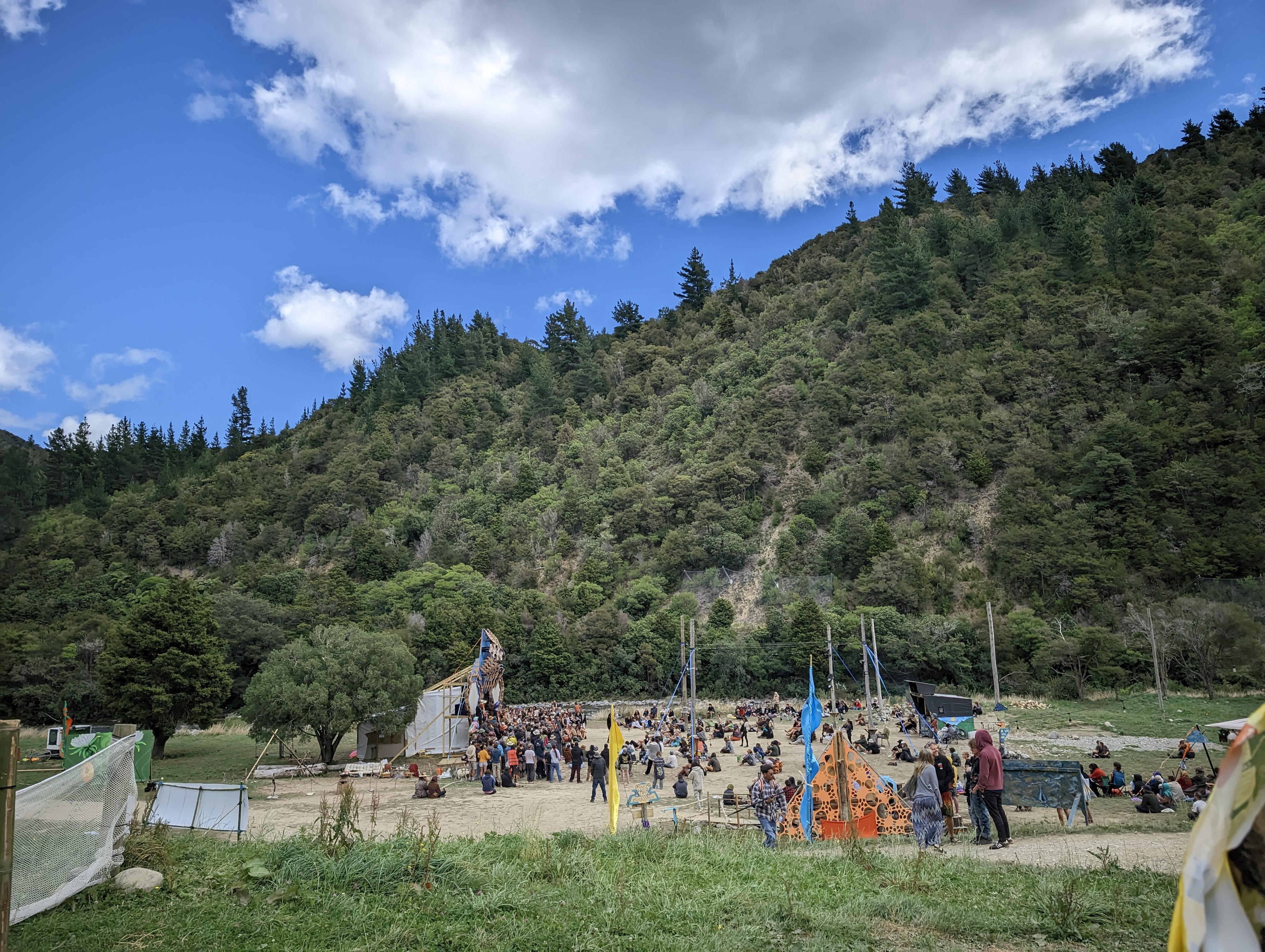
The Problem We Were Trying to Solve
Remote festivals have a real communication problem. Takaka is genuinely remote — no cell coverage to begin with, and even where coverage exists at events like this, towers saturate fast when a thousand people arrive in the same field. Crew coordination falls apart. Information doesn’t travel. If you have an emergency at the far end of the site, getting the right people to the right place is harder than it should be.
Our answer was to build a private mesh network covering most of the festival grounds, with Reticulum and Columba running on top as an encrypted, decentralised messaging layer that guests and crew could use directly from their phones.
The network had to handle:
- Crew coordination across physically separate areas of the site
- Vendor internet access for the market (card payments, etc.)
- Guest-facing WiFi with onboarding to the Columba messaging app
- Long-range links to hard-to-reach areas using Wi-Fi HaLow
The Hardware
Three routers, two models, three distinct network roles:
| Node | Hardware | Location | Role |
|---|---|---|---|
| mesh-gw | Netgear R6800 | HQ / Tech | Gateway, DHCP server, Starlink uplink |
| mesh-node2 | Netgear R6800 | Crowd / Stage area | Mesh node, client APs |
| mesh-market | Netgear R6100 | Market | Ethernet-only node, market DHCP, rate limiting |
The R6800 runs a MediaTek MT7603 (2.4GHz) and MT7615 (5GHz). The R6100 runs a Qualcomm QCA9880 (5GHz) and AR9340 (2.4GHz). Both are well-supported by OpenWRT.
The R6100 has no 802.11s mesh capability on its chipset, so it was connected to the gateway via a 50m ethernet cable rather than a wireless backhaul link.
For extended range we were building a fourth component: a Raspberry Pi 5 running a forked version of OpenMANET with a Morse Micro HaLow module, designed to act as a bridge node. ESP32 boards with HaLow modules were intended as dumb access points at the far ends — no routing, just passing packets — covering areas 1-2km from the nearest router.
Network Design
The mesh backhaul ran on 5GHz (channel 149) using 802.11s with SAE encryption, hidden from client devices. The gateway ran B.A.T.M.A.N. V in server mode. Mesh nodes ran in client mode, with the gateway as the authoritative DHCP server for the guest network.
Two VLANs over the batman-adv interface:
VLAN 10 — Guest network
- Subnet: 192.168.12.0/22 (supports ~900 leases)
- DHCP served from gateway only
- No internet access, local mesh only
- Firewall blocks guest-to-market traffic
VLAN 20 — Market network
- Subnet: 192.168.20.0/24
- DHCP served from R6100 (backup on gateway from .200 upward)
- Internet access via WAN with masquerade
- Rate limited to 6Mbps total using HTB + SFQ for fairness between vendors
2.4GHz client channels were staggered across nodes to reduce co-channel interference: channel 1 on the gateway, channel 6 on node2, channel 11 on the R6100.
A static route on the gateway pointed the HaLow subnet (10.41.0.0/16) to the Pi5’s IP once it picked up a DHCP lease on the guest network.
Configuration and Scripting
Each router was configured via a single shell script piped over SSH to a freshly flashed OpenWRT device. Using UCI commands in shell allowed the whole setup to be idempotent — run it again and it converges to the same state.
# Usage: ssh root@192.168.1.1 'sh -s' < setup_gw.shThe gateway script sets up the batman-adv interface in server mode, both VLANs, DHCP for each network, firewall zones, rate limiting, and a hotplug script that wires up the VLAN interfaces on bat0 as soon as the batman-adv device comes up:
# bat0 - batman-adv device, server mode since this is the gateway
uci set network.bat0=interface
uci set network.bat0.proto='batadv'
uci set network.bat0.routing_algo='BATMAN_V'
uci set network.bat0.gw_mode='server'

# mesh0 - hardif linking phy1-mesh0 (5GHz wireless) to bat0
uci set network.mesh0=interface
uci set network.mesh0.proto='batadv_hardif'
uci set network.mesh0.master='bat0'
uci set network.mesh0.mtu='1536'
The guest network was sized for the full festival with a /22 giving ~900 usable addresses and 12h leases:
uci set dhcp.guest.start='10'
uci set dhcp.guest.limit='900'
uci set dhcp.guest.leasetime='12h'
Rate limiting on the market VLAN used Linux Traffic Control with HTB for the total cap and SFQ for per-flow fairness. This ran as an init.d service starting after the network was up:
tc qdisc add dev bat0.20 root handle 1: htb default 10
tc class add dev bat0.20 parent 1: classid 1:1 htb rate 6mbit ceil 6mbit
tc class add dev bat0.20 parent 1:1 classid 1:10 htb rate 6mbit ceil 6mbit
tc qdisc add dev bat0.20 parent 1:10 handle 10: sfq perturb 10
Because batman-adv creates its virtual interface dynamically, the VLAN subinterfaces (bat0.10, bat0.20) had to be created via a hotplug script triggered when bat0 appeared:
if [ "$ACTION" = "add" ] && [ "$INTERFACE" = "bat0" ]; then
    sleep 1
    ip link add link bat0 name bat0.10 type vlan id 10 2>/dev/null
    ip link set bat0.10 up 2>/dev/null
    ip link add link bat0 name bat0.20 type vlan id 20 2>/dev/null
    ip link set bat0.20 up 2>/dev/null
    brctl addif br-guest bat0.10 2>/dev/null
    brctl addif br-market bat0.20 2>/dev/null
    batctl meshif bat0 multicast_forceflood 1
fi
For a deeper walkthrough of OpenWRT and B.A.T.M.A.N. setup, this article by cgomesu was one of the most useful references we found. Firmware was built using the OpenWRT Firmware Selector with batman-adv included at build time, and the project is on openwrt.org.
The HaLow Experiment
Wi-Fi HaLow (802.11ah) operates in sub-GHz frequencies, giving it significantly better range and wall penetration than conventional WiFi at the cost of throughput. For a festival site with hard-to-reach areas, 1-2km links at low data rates are more useful than 100m links at high ones.
The plan was to run OpenMANET on a Raspberry Pi 5 with a Morse Micro HaLow module. OpenMANET is a fork specifically targeting mesh networking with HaLow hardware. ESP32 boards with HaLow modules would act as dumb APs at the far ends — no routing capability, just extending the network into areas the main routers couldn’t reach.
We never got it working. The blocker was a driver and firmware incompatibility between the Morse Micro module and the Pi 5. A lot of time went into reading through the OpenMANET source, trying to understand which kernel interfaces it expected and where the Pi 5’s newer hardware diverged from what the driver assumed. We ran out of time before resolving it. This is a solvable problem — just not one we solved before the festival.
The Captive Portal and Onboarding
We built a captive portal using Grape.js as the visual editor, hosted at yatrafestival.xyz. The portal served:
- Installation guide for Columba
- APK download for Android (sideloading, since it wasn’t on the Play Store)
- A live schedule for workshops and artists
- Basic onboarding instructions for the mesh
The idea was that anyone connecting to the guest WiFi would land on this page first and be able to get set up without needing to find a crew member.
Reticulum and Columba
This side was handled primarily by my spouse. Reticulum is a cryptography-based networking stack designed to work over a wide range of physical transports, including LoRa, serial links, Bluetooth, and conventional IP networks. Columba is a messaging application built on top of it.
The idea was that even if the WiFi mesh wasn’t reachable, Reticulum could route messages over Bluetooth between nearby phones, and over the internet via propagation nodes for anyone who had connectivity. The mesh network would just make it faster and more reliable for everyone on site.
Reticulum did run during the festival. We learned a lot from watching real people interact with it.
What Actually Happened
The mesh was never deployed. We had assumed the festival site would have limited or no internet access. They had two Starlinks and a pair of powerful routers already running. We never validated that assumption with the on-site team before building for it, and by the time it was clear, the festival was already underway.
Reticulum and Columba still ran on the devices of people who had installed it, but adoption was low. The friction points became clear quickly:
- No autostart after a phone rebooted — by the next morning, anyone whose phone had died overnight was off the mesh
- Background Bluetooth was unreliable on older Android devices, likely due to the location permission requirements for nearby device scanning
- No delivery receipts meant people had no confidence that a message had actually gotten through
- You couldn’t message someone you hadn’t already discovered via the mesh — which made the initial add flow difficult when neither person understood the app yet
When free WiFi was available, people defaulted to WhatsApp. Hard to compete with that when your app is still finding its feet. The data is useful though, and most of these are solvable problems. Since then Columba has fixed many of these issues in part due to feedback from my spouse.
Learnings
The assumption failure was the main one. We built the entire infrastructure around a constraint that didn’t exist. A single conversation with the on-site team earlier in the process would have changed the whole approach.
The other thing this project surfaced clearly is how much UX matters for mesh and delay-tolerant networking apps. The technology works. The hard part is making it feel reliable enough that someone with no interest in the underlying protocol will trust it when they need to reach a friend across a field.
We are already planning to go back next year. Earlier test run, proper site survey, and direct coordination with the on-site team from the start. The HaLow hardware problem is also something worth finishing.
The festival portal is live at yatrafestival.xyz. The cgomesu B.A.T.M.A.N. guide linked above is a good starting point if you want to replicate any of this.
A note on process: alongside the hands-on work, we used AI tools fairly heavily throughout this project. For probing unfamiliar concepts, debugging config logic, understanding kernel interfaces, and thinking through network design decisions. We think that’s worth being open about.